Background
Helping non-technical users form a mental model of the AI fine-tuning process through an educational no-code platform
U-Tune is designed from the ground up as an educational no-code platform that makes fine-tuning accessible without requiring technical expertise. It not only enables customization but also helps users form a mental model of the process. The platform is grounded in IBM’s Equitable and Trustworthy AI principles, ensuring that accessibility, transparency, and safety translate directly into user trust & business value.
Problem Space
Fine-Tuning Without Understanding Creates Risks
Non-technical users often lack a mental model of how fine-tuning works. Approaching it without understanding the underlying technicalities can lead to unintended consequences, poor results, and reduced trust in the AI systems they’re working with. Without guidance and transparency, the barrier to entry remains high, leaving valuable capabilities inaccessible to most.
Target Users & Use Cases
But who are these non-technical users?
U-Tune is designed for non-technical users exploring the potential of Gen-AI, including analysts, content creators, small business owners, and more. While technically curious, these users often lack the foundational knowledge needed to understand AI workflows, making effective fine-tuning out of reach.

I know learning how to fine-tune could give me an edge in my career, but with all the technicalities, I don’t know where to start.
Marketing Analyst Exploring AI

A chatbot fine-tuned to my product line could be great for my business, but without knowing how my customers’ data is handled, I can’t fully trust it.
Owner of an online home decor business
Goals
To ensure U-Tune truly met the needs of non-technical users, we set clear & measurable goals to guide the design direction
Increase comprehension of the GenAI fine-tuning workflow
Improve user trust in GenAI systems and outcomes
Lower barriers to hands-on experimentation with fine-tuning
Research Approach & Methods
Divide & Conquer with Mixed Methods
To cover both the technical and human aspects of fine-tuning, research was split between expert knowledge, user perspectives, and proven learning techniques.
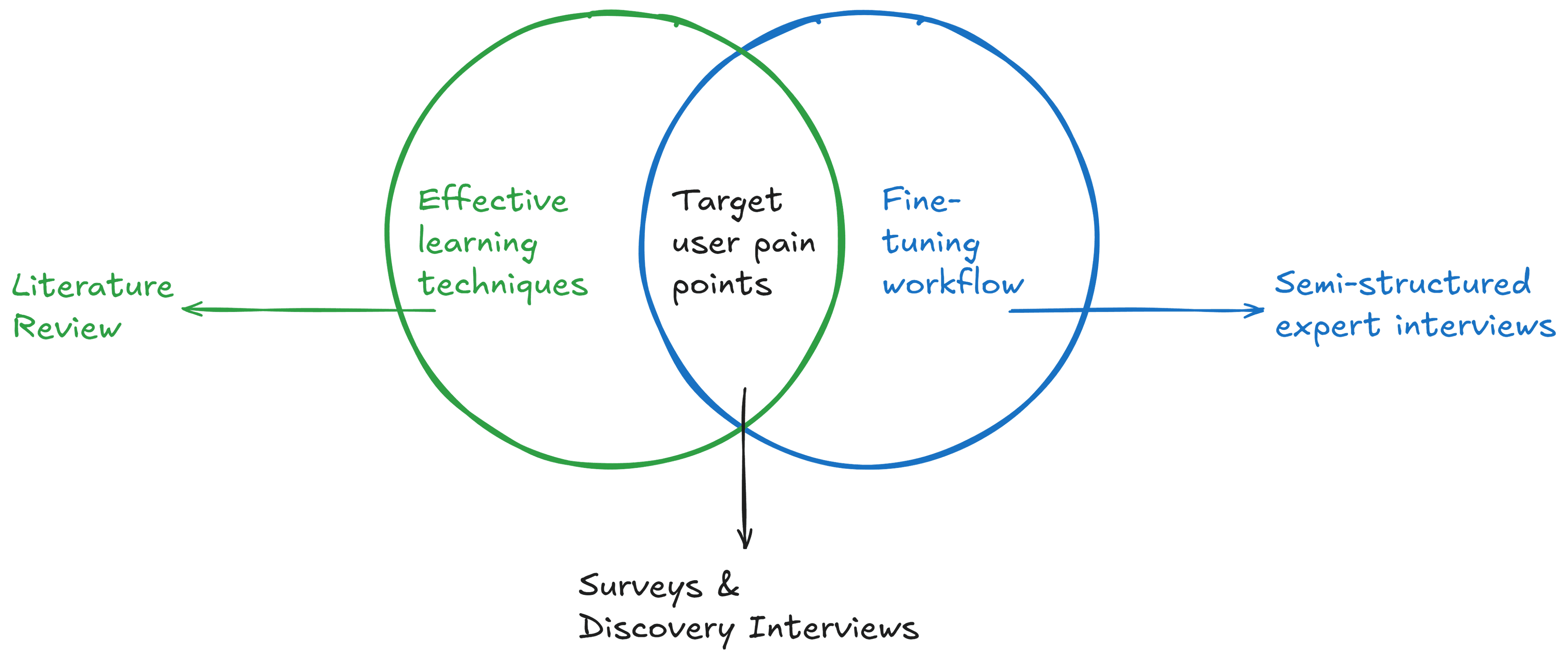
Semi-structured Interviews
12 Experts
Surveys & Discovery Interviews
15 Responses
Literature Review
6 Peer-reviewed Articles
A pivot from discovery interviews
Discovery interviews were planned but not conducted due to scheduling constraints. Instead, insights were mapped from survey data, and interested participants were re-engaged later during user testing.
Research Synthesis & Insights
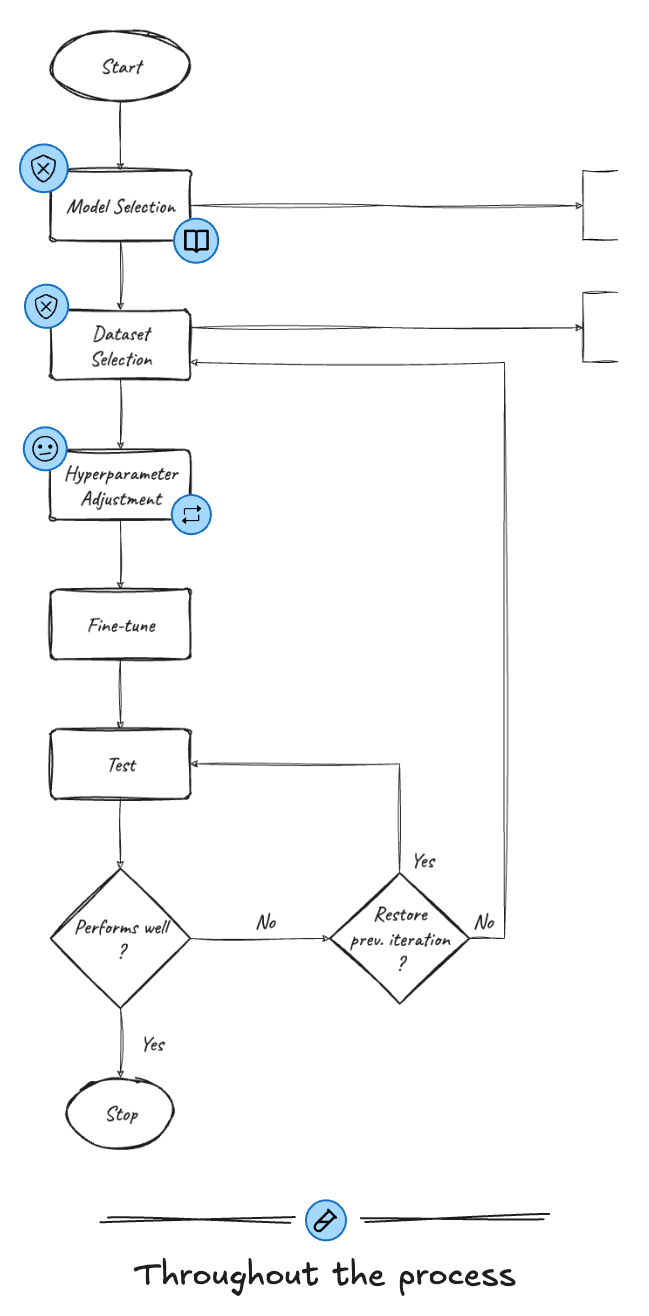
Identifying design opportunities by mapping user pain-points and expert insights on to a process flow
Insights from all the research were brought together onto a process map. This visual made it clear where non-technical users struggled, why these gaps occurred, and where design changes could make the biggest difference.
60% (9/15) of users worried about data retention and usage by the models.
Experts rely on documentation to choose models based on use case and modality.
73% (11/15) users felt overwhelmed and unclear about the purpose of different settings due to jargon.
Experts tweak parameters through trial and error, knowing how each one impacts fine-tuning.
Active hands-on learning retains up to 75% of information, compared to just 5% from passive lectures.
Key Feature #1
Simplifying Hyperparameters to Cut Through Jargon
- Technical Jargon
- Trial & Error Hyperparameters
- Active Learning
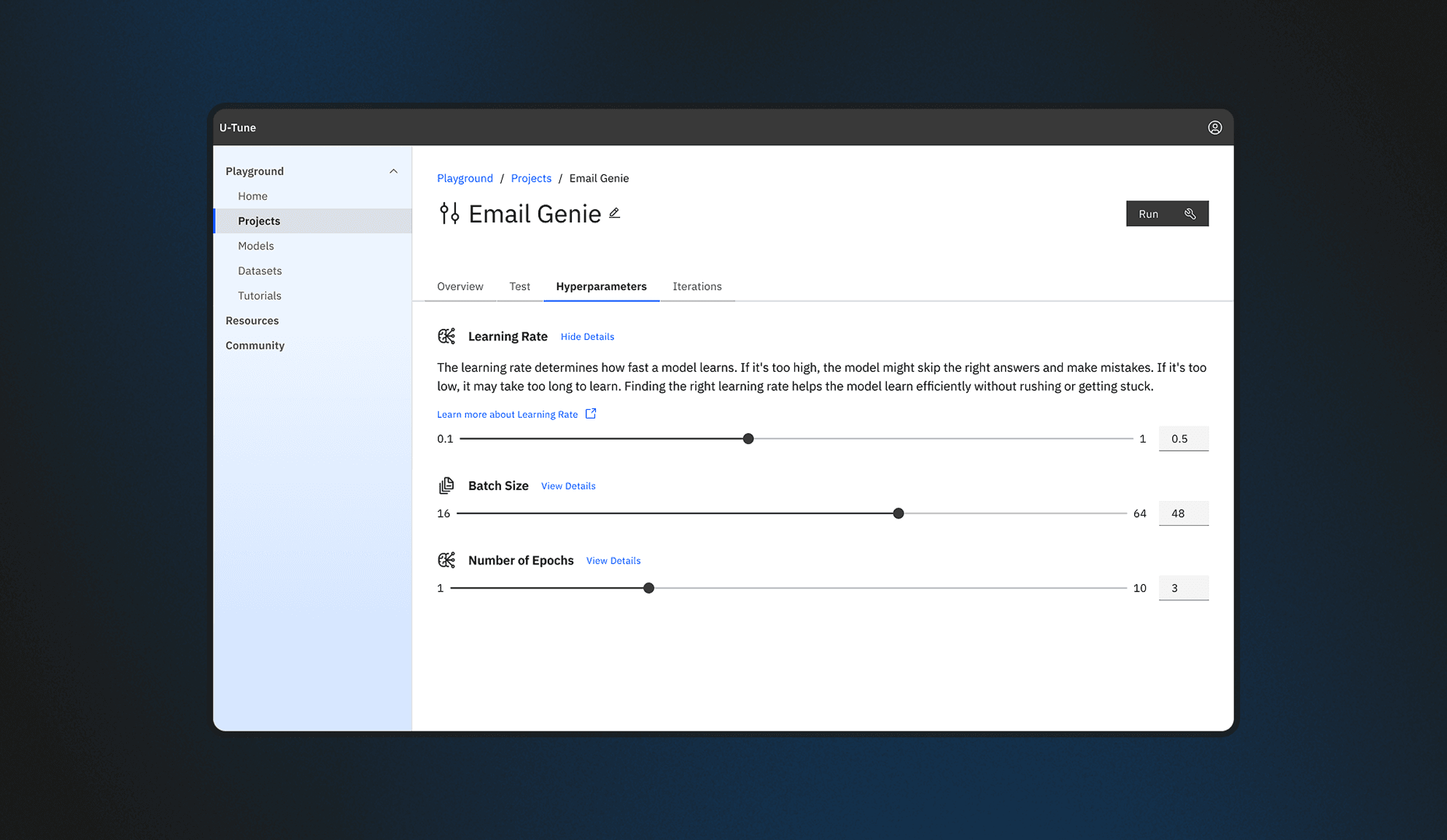
Hyperparameter tuning is one of the most important, but also the most confusing, steps in fine-tuning. To reduce struggles with jargon and unclear parameter effects, a slider-based input with simplified definitions was designed and presented in an accordion-style layout for clarity.
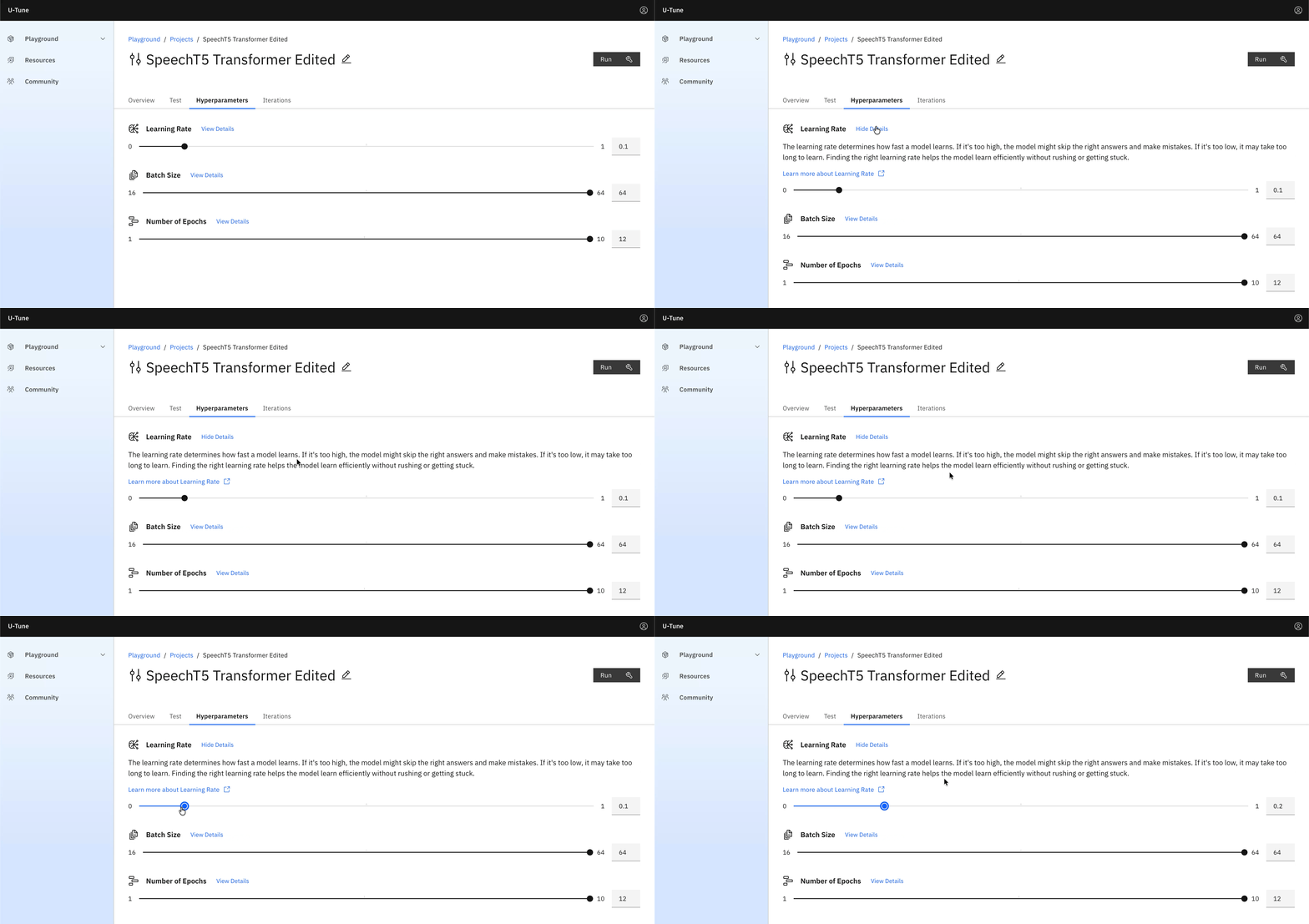
Design Decision 1
Using simplified technical definitions of each hyperparameter to explain its effect on the fine-tuned model & the fine-tuning process.
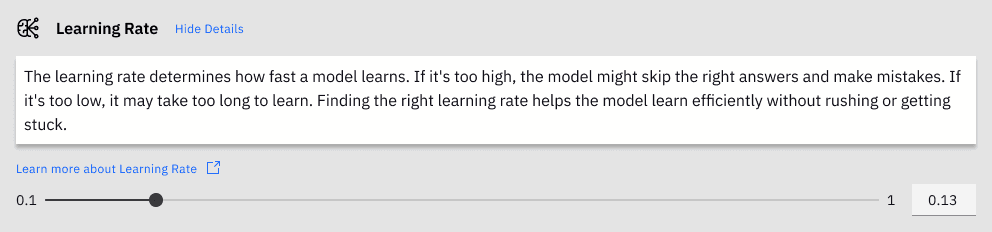
Why simplified technical definitions?
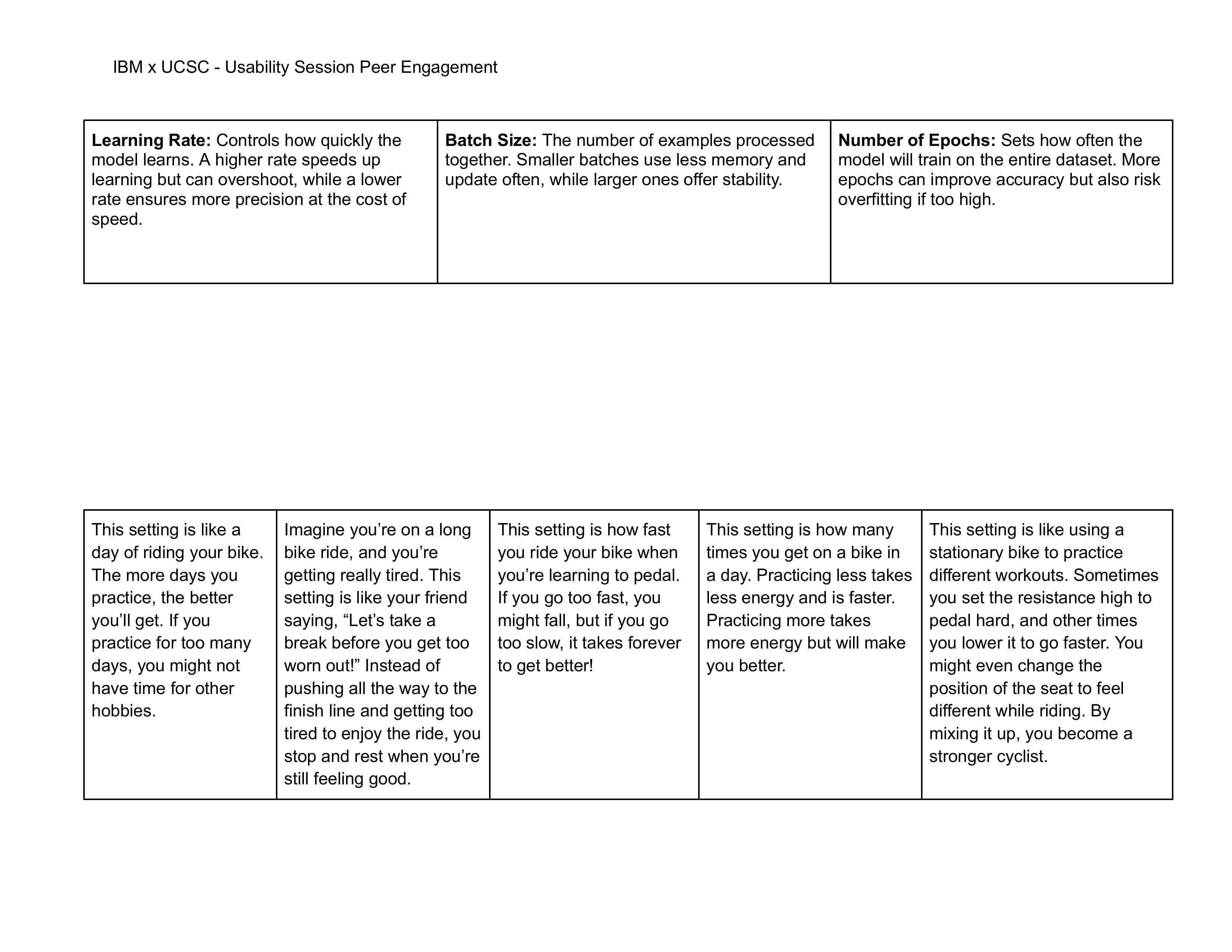
The first tested iteration explored analogy-based explanations, like riding a bike, to make parameters more approachable.
Concept testing with 12 users, to validate analogy comprehension, revealed that the analogies were too abstract.
- 0 / 12 Users: All (3) correct matches
- 4 / 12 Users: 2 correct matches
- 8 / 12 Users: 1 or No correct matches

Design Decision 2
Using an accordion-like layout to show/hide parameter definitions as and when required by the users.
Why an accordion-like layout?
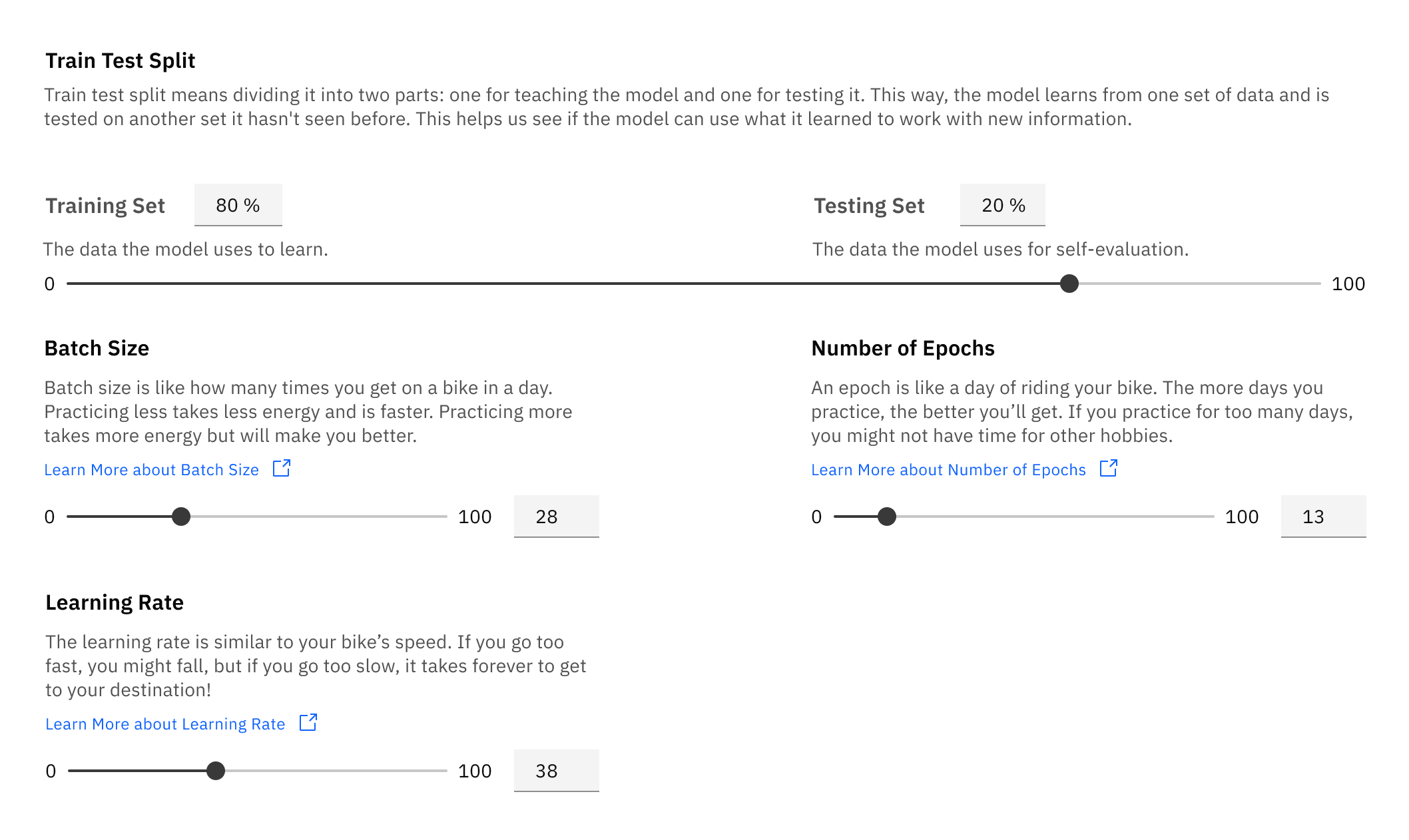
The first tested iteration explored a grid layout with upfront definitions.
Usability testing showed that the text-heavy layout was visually overwhelming.
There's too much text on the screen. Makes me not want to read anything.User Test Participant
Design Decision 3
Using slider-based inputs to reinforce standard value limits for each parameter, as understood from expert insights.
Key Feature #2
AI Nutrition Facts to Build Trust at the Model Selection Stage
- Data Flow Opacity
- Model Documentation
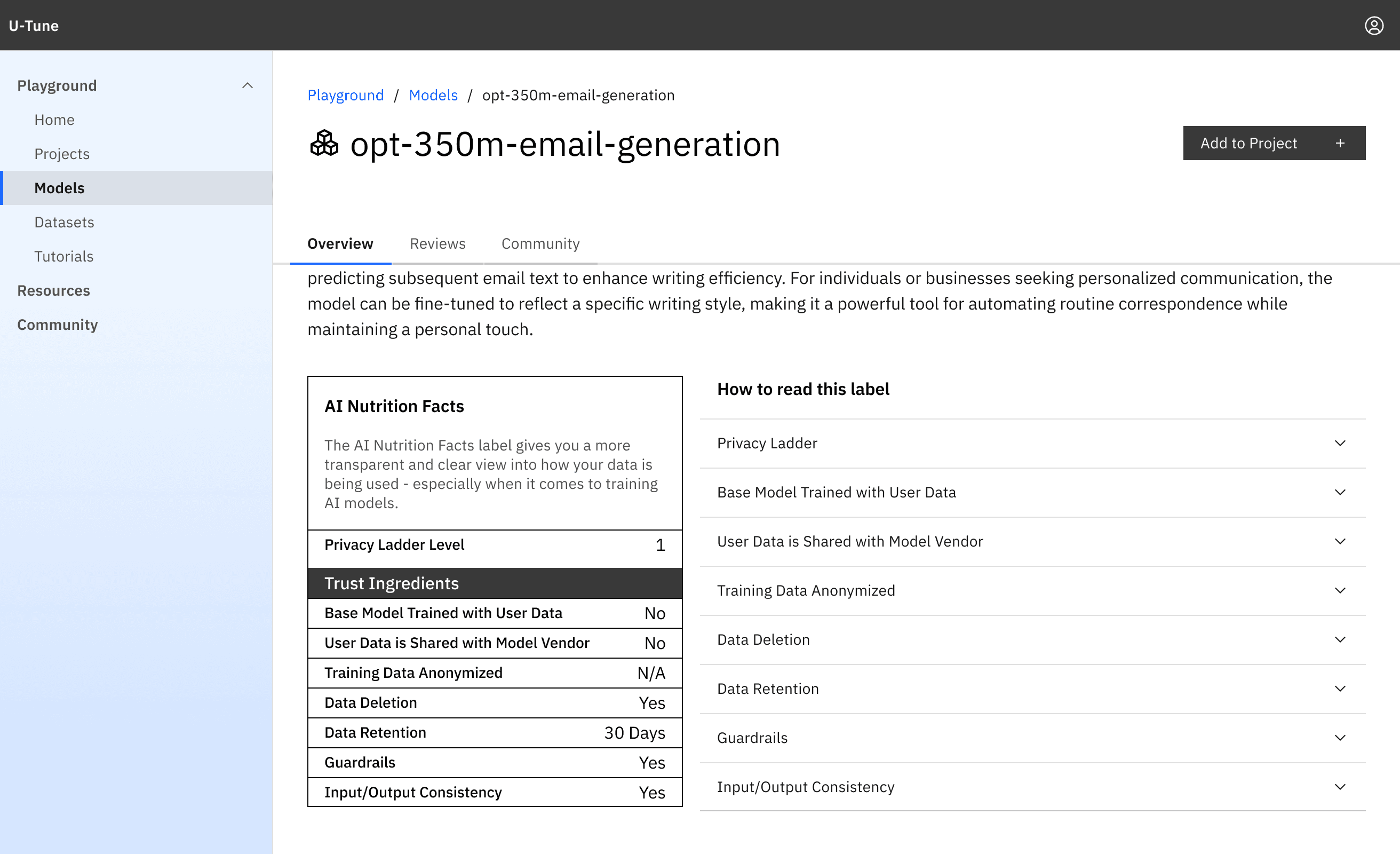
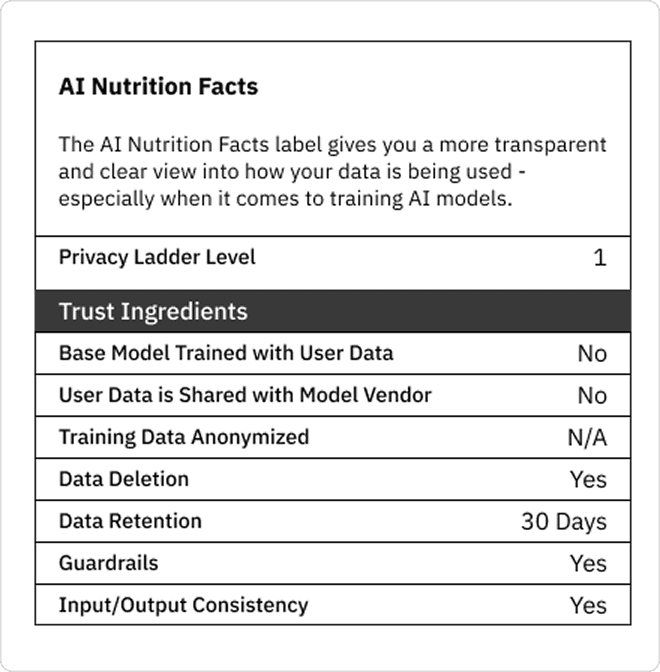
Trust in fine-tuning is often undermined by uncertainty around how data is retained, processed, and used. Inspired by Twilio and modeled after food nutrition labels, an AI Nutrition Facts label was introduced to surface model data practices in a clear, interpretable format.
Design Decision 1
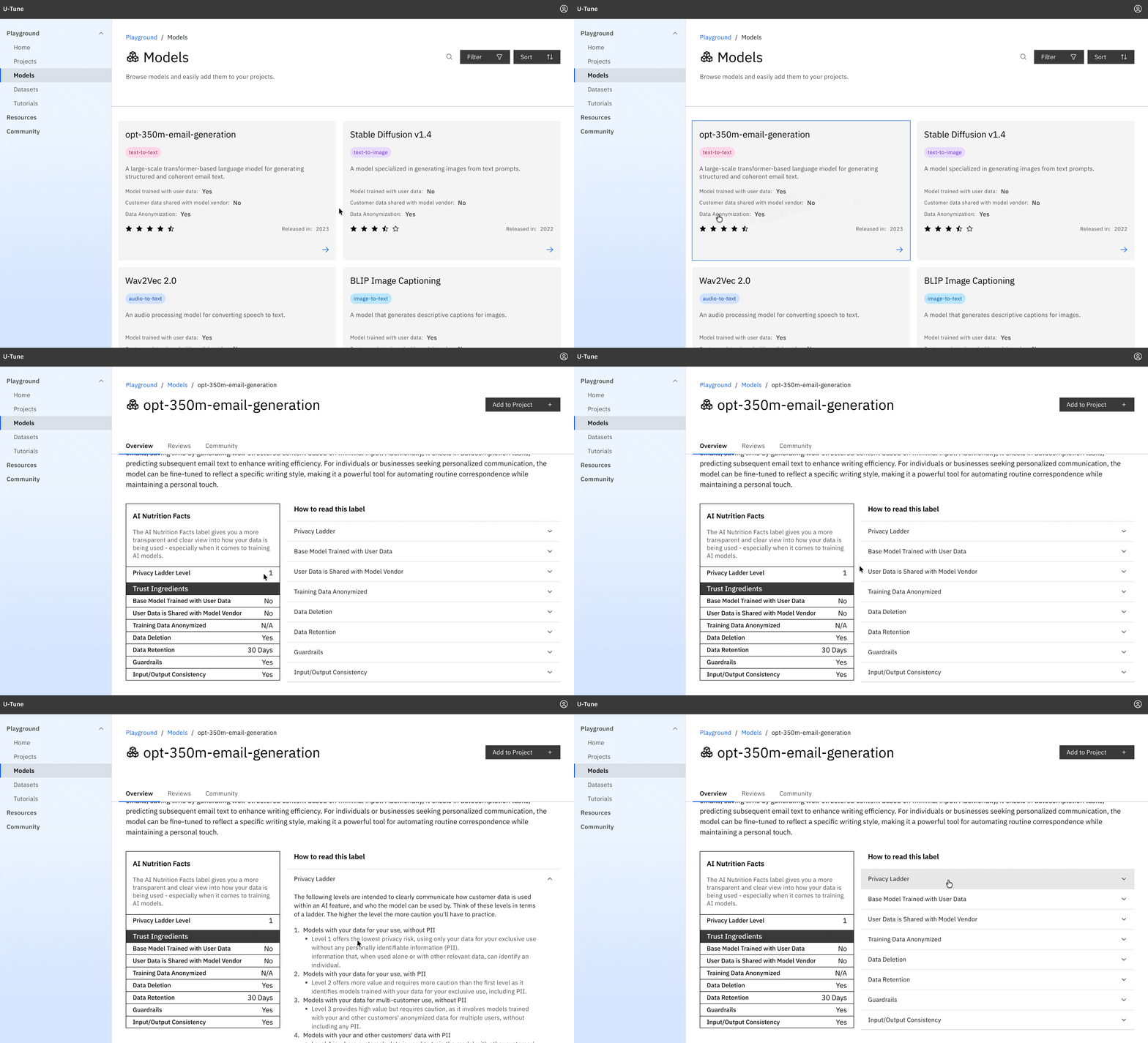
A set of nutrition facts, chosen based on user input, is presented on the model cards on the catalog page, and the label is placed prominently on the model details page for ease of access.
Why is the label placed in the model details page?
The first tested iteration used tooltips on the model card on the catalog page to display the Nutrition Facts.
However, usability testing revealed that 5/12 users missed these entirely.
Design Decision 2
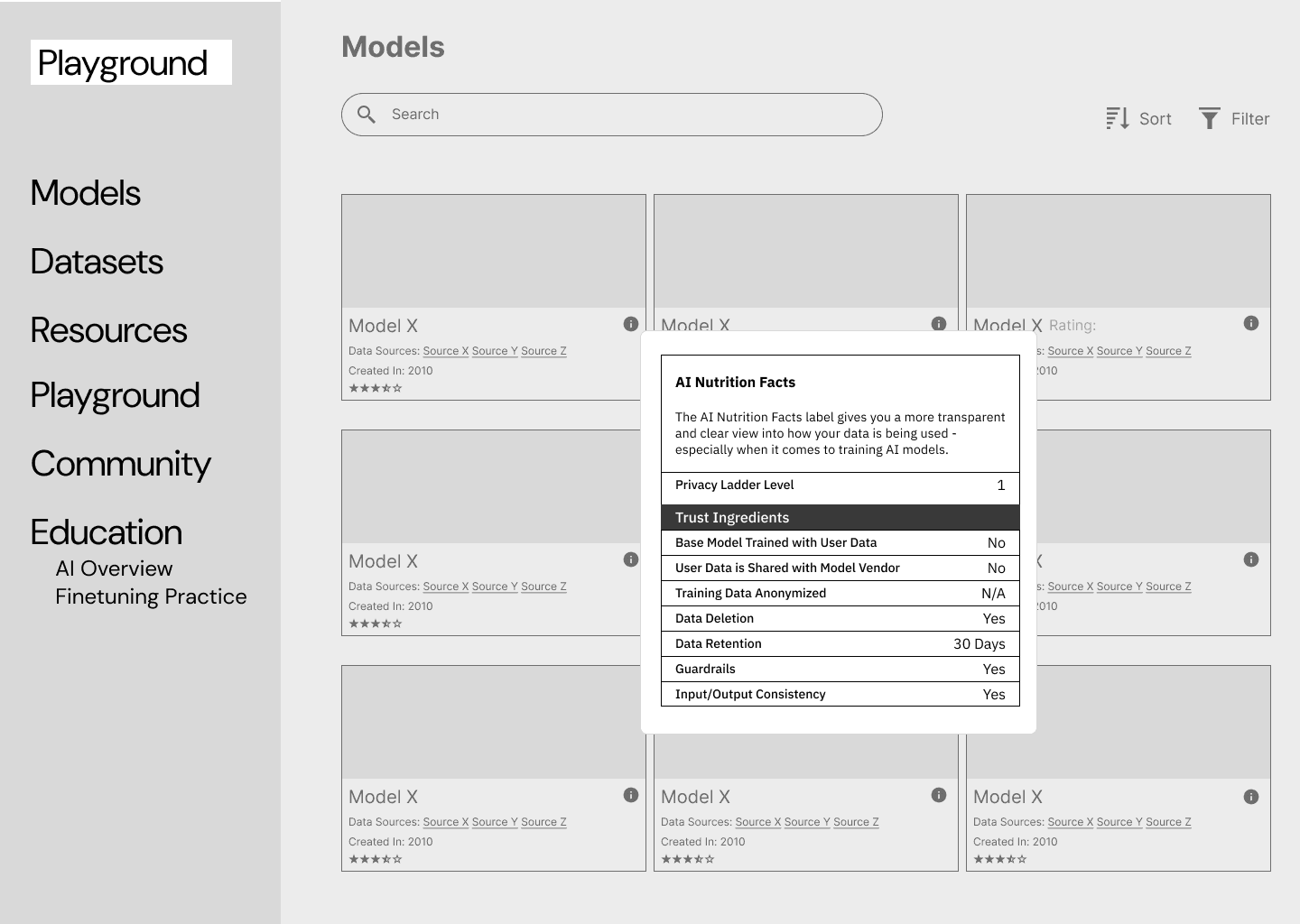
Explanations about each fact parameter, along with what the values for each indicate, are provided in an accordion component placed next to the nutrition facts label.
Why the explanations?
Usability testing revealed that 3/7 users who discovered the label struggled to interpret the terminology, which actually reduced trust rather than improving it.
Could use an explanation for what the values mean, what does yes or no mean for data deletion?User Test Participant
how do i tell what privacy ladder level is good?User Test Participant
Design & Prototyping Process
Prototyping Realistic User Flows with Carbon and Next.js
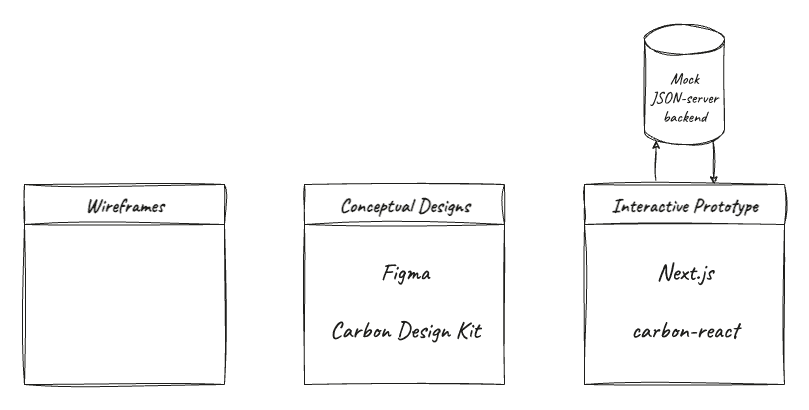
The platform was designed in Figma using the IBM Carbon Design System to maintain consistency and scalability. I then built a high-fidelity prototype in Next.js, connected to a mock JSON server backend. This setup simulated real-time data flow and interactions, giving users a realistic experience during testing.
User Testing & Evaluation
Rapid Testing Using RITE and Assessments to Measure Impact
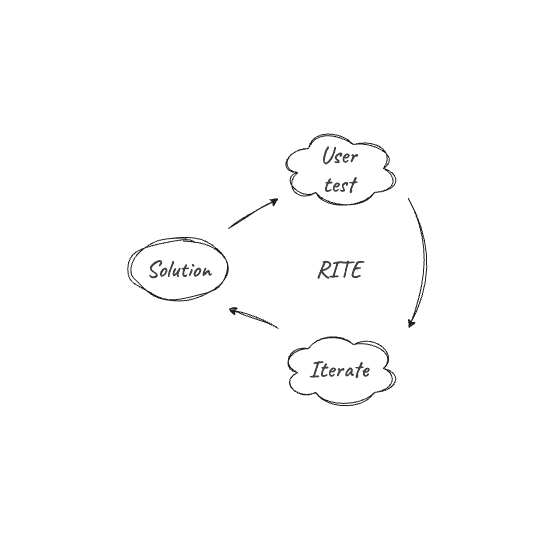
For testing, Rapid Iterative Testing & Evaluation (RITE) method was used to keep feedback loops always open, short and adaptive.
Across 2 test cycles with 12 participants each, insights were quickly translated into design updates, keeping iterations fast and responsive to what surfaced in each round.
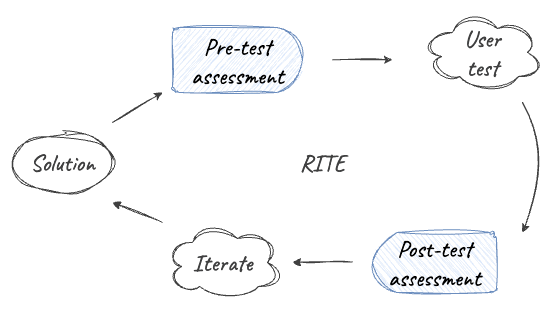
To measure impact, pre- and post-testing assessments were conducted, asking users to rate (on a Likert scale) and explain their understanding of fine-tuning and how their data is used.
Questions like “How would you describe the fine-tuning process in your own words?” helped identify outliers before quantifying impact.
Results
Increase in comprehension and trust with accessible and performant prototypes
Quantitative Impact
92%
increase in fine-tuning comprehension per user.
70%
increase in AI trust per user.
Qualitative Impact
at the end of the day i feel like I learned a new skill, better understanding of ai as a whole
love the ability to actually play around and use your own imagination
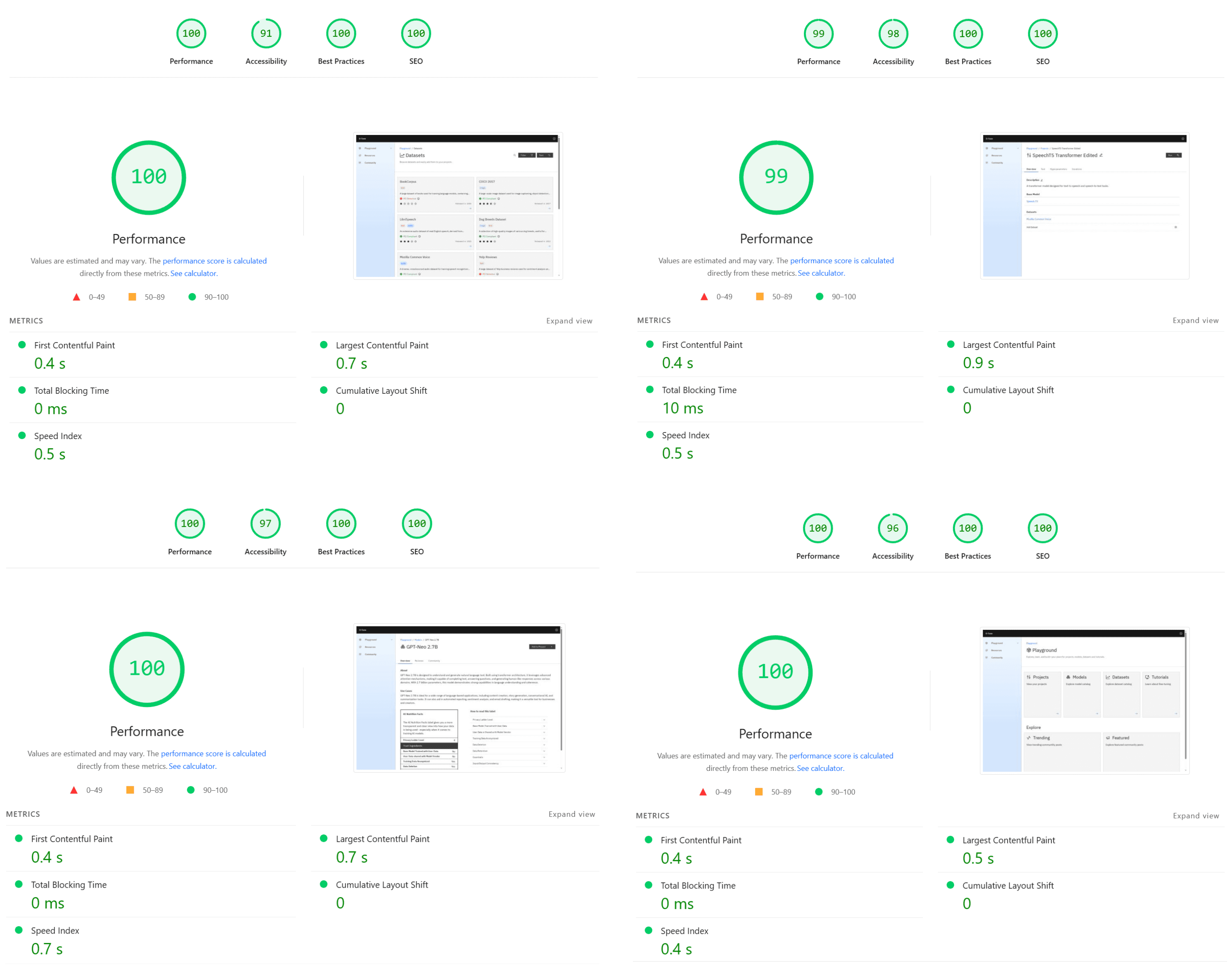
Accessibility Impact
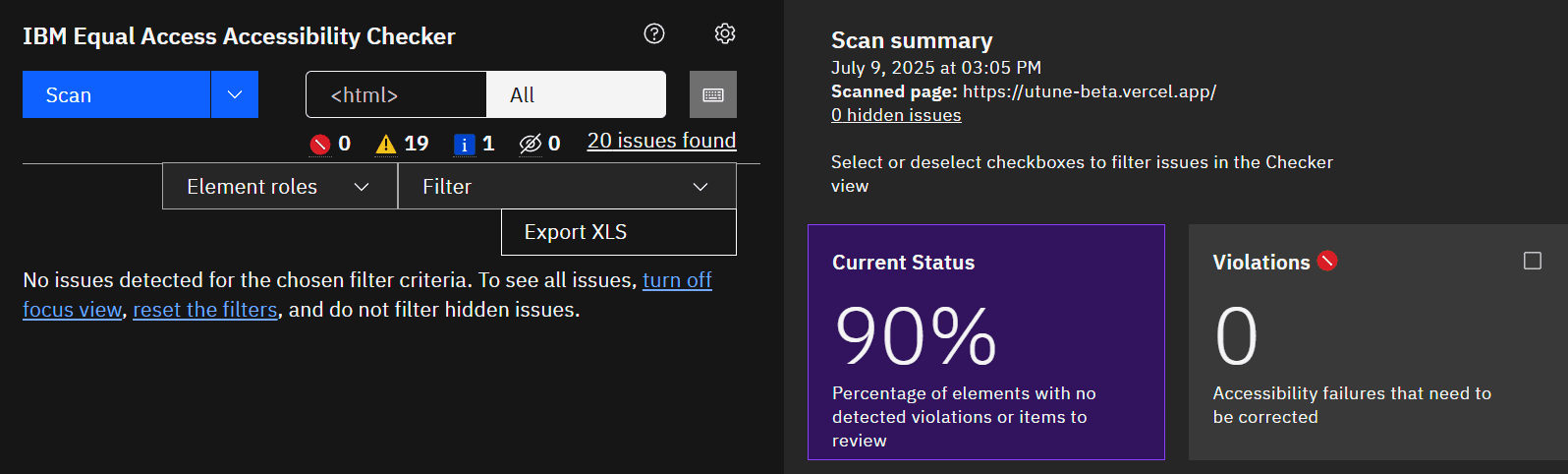
90%
WCAG Compliance, verified by IBM Equal Access Checker
Performance Impact
0.7s
Average LCP across all developed pages
0
CLS across all developed pages
Next Steps
Expanding Features & Evaluating Business Impact
Model Integration
Incorporate real model API endpoints to simulate live fine-tuning feedback, moving beyond hypothetical flows.
Community Features
Explore community-based learning with a timeline where users can share fine-tuned models, teach others, or seek help.
Expanded Impact Metrics
Go beyond comprehension and trust by measuring adoption related outcomes, such as repeat usage and task efficiency.
Reflection
On Methods & Mindset
Balancing rigor with adaptability
Repurposing survey insights for discovery insights and later engaging those same users in testing still produced strong, evidence-based design decisions.
Design Engineering ownership
As the first end-to-end Design Engineering lead on a project, I saw in practice how working across design, interface implementation, and underlying product tech creates tighter, more deliberate outcomes.